
What does the e-Apostille File Look Like?
The e-Apostille is provided as a PDF file.
YOU NEED ADOBE READER
Your e-Apostille will be delivered as a PDF file.
You will need Adobe to view the PDF. Other PDF readers cannot open and view the file as it contains secure digital signatures.
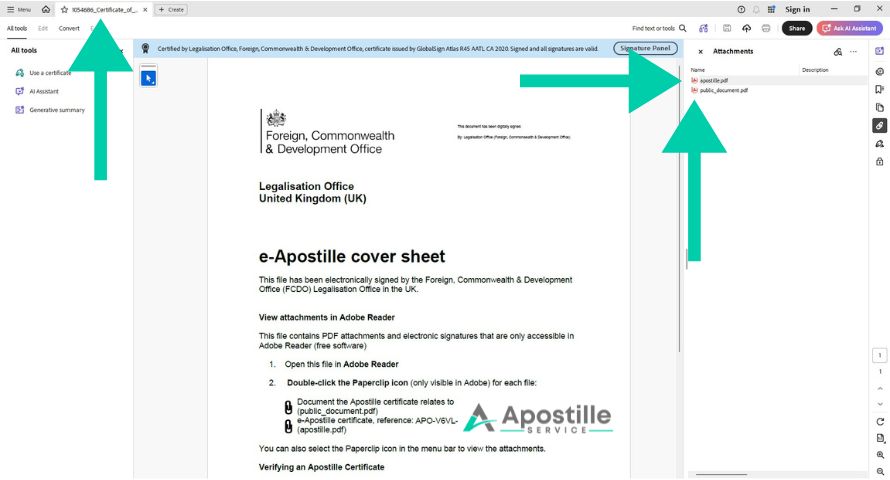
The PDF file contains three important sections
1 – The FCDO Legalisation Office Cover Letter
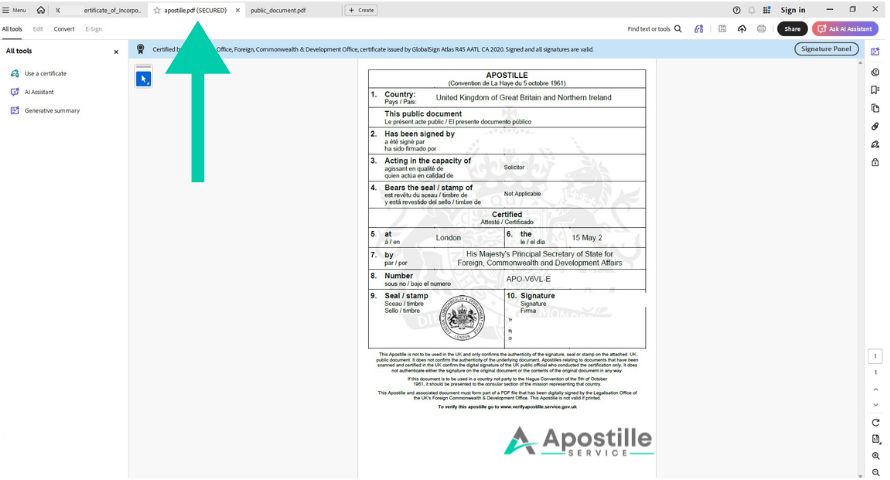
2 – e-Apostille Certificate
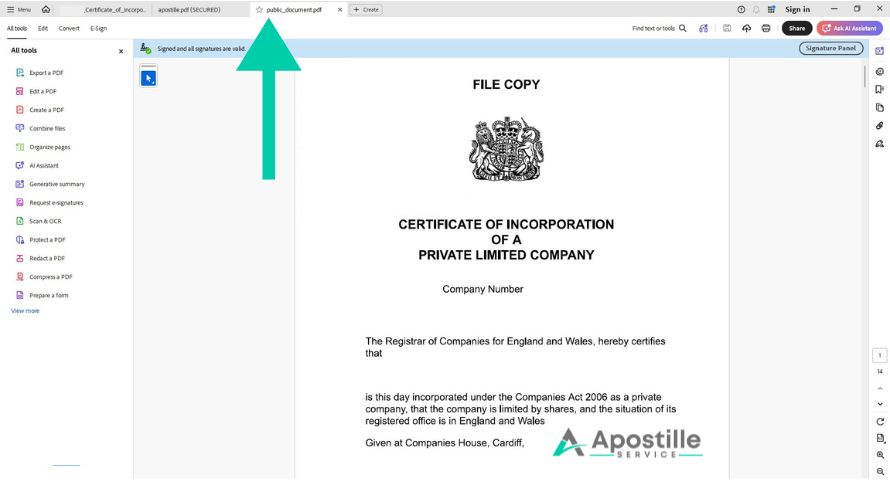
3 – Your document – named Public Document

The Cover Letter
When you open the PDF file you will see the Cover Letter from the FCDO. This simply tells you how to view the other two documents. In the column to the right, you will see links to the e-Apostille AND the Public Document (Your Document).
The e-Apostille Certificate
The e-apostille is very similar to the paper version in style and format. It contains ten points, nine of which are completed. Section 4 – ‘Bears the seal/stamp of’ is left empty. Digital documents do not have a physical seal or stamp. They are only digitally signed.
The Public Document
This is your document. It contains a statement from the solicitor – why it has been certified. The date the document was certified is added. There is a digital signature from a solicitor that has their enhanced digital signature on record at the FCDO. (We have removed these details to prevent them from being copies and misused).
Points to Consider
Before ordering an e-Apostille it is important to consider the following points.
Not all Documents can have e-Apostilles
Not all organisations accept e-Apostilles
Customers should check with the overseas authority, employer, university, lawyer or government office that they will accept an e-Apostille before ordering.
You cannot print the e-Apostille
You can easily share the e-Apostille by email
It saves postage and reduces processing times
Fast e-Apostille Service
1-2 Days